Showing posts with label App. Show all posts

Wednesday, 19 September 2012

Advanced Download Manager Pro v2.3.6

Market link:-

What's new:-


- fixed program hang when adding/removing download.
Earlier:
- added Settings-Menu (you can hide useless icons);
- menu and context menu on actionbar;
- catalogs are turned on/off a separate button;
- finished download is displayed in new window;
- setting speed and the number of sections through the slider;
- choice of the path to the working folder in the file manager;
- customize the interface through a color palette.


Description:-


In free version:
- interception of links from the browser and a clipboard;
- accelerated download by using multithreading (3 parts);
- a icon of the program and loading progress in the notification panel;
- space reservation on a flash drive for the downloaded file;
- saving of files of different types in different folders;
- download files in the background and after display off;
- automatic definition file size after the addition of;
- resume after disconnect or restart the program;
- editing download queue;
- choice of colors for the interface;
- detailed information about downloading.
In pro version (AD-Free):
- parallel downloading three files simultaneously;
- accelerated download by using multithreading (8 parts);
- a widget on a home screen and a window over all windows with the list of running downloadings;
- downloading using only the Wi-Fi and start/stop at on/off the Wi-Fi;
- autoload of service of the program after the boot is completed;
- a sound and vibration upon termination of loading;
- planning of loading of files in due time;
- automation action for downloaded files.

There are several ways to add a link from the browser to the program:
- tap on link and from a window "Complete action using" select the program (supported by Android Stock Browser and Dolphin);
- long press on a link cause the context menu, tap "Share link" and from a window "Share via" select the program (supported by Firefox and Skyfire), or tap "Copy link" and program service intercepts the link;
- copy the link text (beginning on "http://" or "www") in an address line of the browser and program service intercepts the link (supported by Maxthon).
Control: tap on the download to start/stop, tap on a loading complete to open the file, long press to display the context menu; tap on a top panel of a window of the program sorts by an icon of downloading; tap on a widget starts/stops all loadings, but if the downloads list is empty, or all of them are completed, or the timer is not running - opens a window of the program.


Screenshots:-


Video:-


Download:-

Tuesday, 7 August 2012

Solo v1.51

Market link:-

What's new:-


v1.51
Fixed occasional black screen on start-up for HTC devices
Faster load times
Other minor bug fixes
v1.50 (Major update)
New 12 string electric guitar added
Better sounding classical guitar
Variable strum volume (play louder on bottom than top of screen)
Restore original media volume on exit
Bug and crash fixes as usual
IF YOU EXPERIENCE A CRASH ON STARTUP, UNINSTALLING AND REINSTALLING OFTEN FIXES IT


Description:-


Get Solo, Android's most popular virtual guitar for awesome mobile guitar fun!
With Solo you can play to your favourite songs, or create some of your own...
It's ideal for jamming sessions when you don't have your guitar with you, or an excellent reference for when you do!
Features include:
* Classical guitar, acoustic guitar and electric guitars, each with authentic sound
* A huge chord library with chord diagrams - hear and see how each chord is played.
* Create your own chords
* Play along to any music loaded on your phone
* Get chord and lyric overlays from the web - excellent for teaching yourself new songs to play (this feature is provided via a free add-on app)
* Play with a capo to fit your vocal range
* Create, load and save chord layouts for your favourite songs
* Customize the UI to fit your playing style
* Use multitouch on supported devices
* Uses Immersion’s MOTIV haptic effects for advanced haptic feedback
* Great for S Pen Samsung Galaxy Note


Screenshots:-


Video:-


Download:-

Tuesday, 24 July 2012

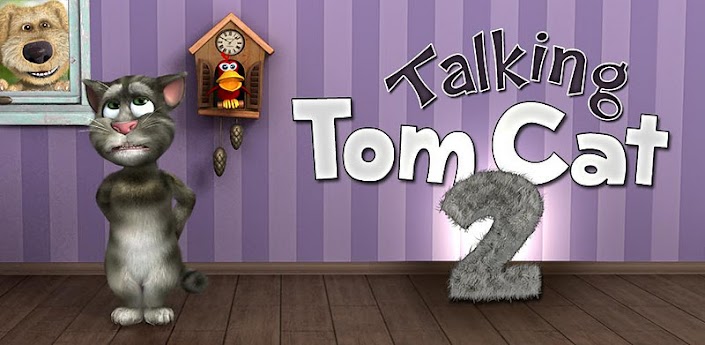
Talking Tom Cat 2 v2.0.3

Market link:-

What's new:-


2.0.3: Please update to this version. If you lost your Gold Coin balance please note we will be restoring it by Wednesday. We sincerely apologize.
✔ You can now customize Tom's appearance by buying him accessories like soccer uniforms, hats, sunglasses and lots more.
✔ Make Tom look like a police officer, pirate, construction worker or a cowboy.

Description:-

 Tom is back with an all new adventure!
★★★ EPIC NEW FEATURES ★★★
✔ You can now customize Tom's appearance by buying him accessories like soccer uniforms, hats, sunglasses and lots more.
✔ Make Tom look like a police officer, pirate, construction worker or a cowboy.
✔ You can shop for accessories with gold coins. You can buy gold coins or get them for free.
✔ You get 25 gold coins if you open the app every day.
✔ You get 200 gold coins for every push notification you receive. Make sure you subscribe to push notifications!
PLEASE NOTE: When running the app for the first time you will be required to download additional 5-39 MB to get the best graphics quality for your device.
Tom is back with an all new adventure! Tom is your cat that responds to your touch and repeats everything you say in a funny voice.
Since Tom is now an international celebrity, he's moved out of the alley and into a cool apartment.
But everything is not perfect for Tom, his neighbour Ben teases and pesters him constantly.
★★★ HOW TO PLAY ★★★
✔ Talk to Tom and he will repeat everything you say with a funny voice.
✔ Pet Tom's belly or head and make him purr.
✔ Poke his head, belly or feet.
✔ Slap Tom's face left and right.
✔ Pull or touch his tail.
✔ Press the fart button to see Ben fart and Tom grab his nose in disgust. After that Tom repeats what you say with his nose closed for a while.
✔ Press the bag button to make Ben pop a paper bag and scare Tom. It's hilarious.
✔ Press the phone button to make Tom play with the original Talking Tom app and repeat after himself in a funny loop.
✔ Press the feathers button to see Ben hit Tom with a pillow.
✔ Press the ? button to make Tom pull random items from behind his back.
✔ Shop & equip Tom with awesome accessories by pressing the coat hanger button.
✔ Record and share videos on YouTube, Facebook or send them by email or MMS.
You can sell back any of Tom's accessories at 50% the purchasing price if you press and hold the recycle button on the purchasing screen.
Enjoy hours of fun and laughter with Tom.
END-USER LICENSE AGREEMENT FOR ANDROID:
http://outfit7.com/eula-android/

Screenshots:-


Video:-


Download:-

Thursday, 19 July 2012

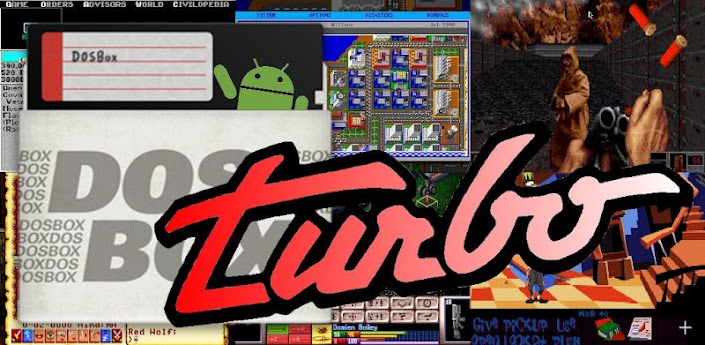
DosBox Turbo v1.4.2

Market link:-

What's new:-

1.4.2:
* Hopfully fix virtual joystick calibration issues (pls email if you are still having issues)
* Add JOY center calibration option
* Fix Physical Joystick Input Mode button mappings
* Add scaled screen location option
* More button mappings for Android Keys
* More mappings for USB HID Gamepads
Recent Changes:
* Display current cycle speed on restart & cycle change.
* More ARM7 Speed optimizations.
* XBox 360 Controller Support
* Generic USB HID Controller Support

Description:-

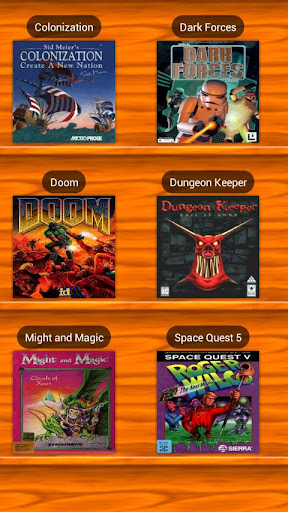
 A highly optimized and feature enhanced port of the latest SVN Version of the DOSBox DOS emulator for Android where new optimizations and features are introduced at a rapid pace. Run your old DOS games quickly, with full mouse, keyboard, sound and analog joystick emulation.

If you have no experience with DOS emulators, please read our FAQ first ( http://goo.gl/0HaF5 )

NOTE: As with any DOS emulator, this application needs access to the SDCARD and plenty of free memory to run. Your phone should have at least 50+MB to run DosBox properly. Copy your old DOS games onto your SD card and start playing!

FEATURES:
★ FASTEST DOS Emulator for Android
★ NEW! Based upon latest DOSBOX SVN
★ NEW! Game Profiles Manager
★ NEW! Game Gripper Support
★ NEW! Xbox360 Controller Support
★ NEW! Absolute Finger & Pointer tracking, use DOS applications intuitively on a touch screen! (experimental)
★ NEW! Gestures Support (Swipe Up/Down, double tap, Long Press, 2-Finger)
★ NEW! Customize Dos Game Covers/Icons in Profile Manager
★ Button Mapping Support
★ DPad Mapping Support
★ NEW! Support for Sony Xperia Play buttons & remapping.
★ ARMv7 processor optimization for enhanced speed
★ Support for Phones & Tablets
★ Use DPAD and Optical Trackpad as mouse/joystick.
★ Honeycomb and ICS Support (Android 3.2 and 4.0)
★ Highly optimized port of the lastest DosBox version. Additional enhancements for modern ARMv7 phones.
★ Virtual Mouse emulation mode, with left & right click!
★ Can remap volume keys to mouse or joystick buttons.
★ Virtual Multi-Touch *Analog* Joystick emulation!
★ Full Sound Support!
★ Full Android Input Method support (use any keyboard from the market - HackersKeyboard recommended!)
★ FAST!! ( http://goo.gl/Tt7X5 )
★ Special Key Combination emulation.
★ Switch to portrait or landscape mode without restart!
★ Stretch scaling to full landscape.
★ Default Fast & HQ Scaling modes.
★ Supports external USB/Bluetooth mice & joysticks [Android 3.1+]
★ Supports Right Click on Trackpads & mice. [Android 4.0+]
★ Full ASUS Transformer keyboard & trackpad support.
★ Can be used with any 3rd Party Keyboard replacement to emulate DPAD or Cursor Keys (our GamePad, or HackersKeyboard is recommended).

To Enable Cursor/Arrow Keys:
============================
Use any 3rd party Android Input Method (Keyboard) replacement. Highly recommend the free HackersKeyboard, which supports transparency, cursor keys and Function Keys or you can try the Free 'GamePad' keyboard. With DosBox Turbo, there is no need to pay extra for virtual cursor keys and/or gamepads.

FAQ:
===
Q. Can it run Fallout?
A. Yes, check out this video: http://youtu.be/85XV8FP70JI

Q. Can it run Daggerfall?
A. Yes, check out this video: http://www.youtube.com/watch?v=CBi0joFymSY

Q. How do I install the Profile Manager?
Click "Install Profile Manager" in the settings menu.

Q. How do I use the new Profile Manager?
** Note, please update to the latest 1.0.10 DosBox Manager.
http://www.youtube.com/watch?v=dJ_zMAO64Js

Screenshots:-


Video:-


Download:-

Tuesday, 10 July 2012

Talking cyborg v talking_cyborg

Market link:-

What's new:-

No recent changes.

Description:-

 You've been targeted by the Cyborg talking App! The future is in your hands...

Talking Cyborg (or, "Talking Tom-inatah" as Arnold says) repeats everything you say with an intimidating voice. Do your best impressions... “I’ll be back”, “Hasta la vista, baby” or “Come with me if you want to live.”
You can talk to him, initiate his cyber vision and even hit him. But, be careful- The talking Cyborg might bite back! He is programmed to defend itself!

For fans of all movie robots including the Terminator, Transformers, Iron Man, Star Wars (R2D2 & C3PO), Star Trek and more! Enjoy hours of fun with this talking bot!

An HD version for tablets & 1280 dpi phones will be out shortly.
Recording to Facebook & e-mailing will be available on the next upgrade I am currently working on.

How to engage talking Cyborg: (see graphic below for hotspots)
• Talk to him, and he will repeat everything you say in an intimidating voice.
• If he is not listening, speak closer to the phone (or speak louder). Different phones have different sensitivity levels.
• To quit, simply hit the home button.
• Punch, poke or swipe at his head to attack him.
• Touch his body (near the neck) to initiate the time portal.
• Touch between his eyes (the bridge of his nose) to activate his cyber vision.
• Don’t get too close to his mouth, or he will bite!

Watch for more talking apps to be released shortly (including some irreverent talking animals) by the developer.

- - - - - - - - - - - - - - - - - - -

This is not officially associated with The Terminator, Talking Terminator, MGM, Fox or Arnold Schwarzenegger soundboard, nor is it meant to be represented as such. This is a Parody and homage to all great Science fiction (sci-fi) robots and is all original fan generated art. This is not associated with "Talking Tom", "Talking Ben" or the developers of any other talking animals.

Screenshots:-


Video:-


Download:-

Thursday, 21 June 2012

Let's Create! Pottery v1.36

Market link:-

What's new:-

Fixed bug with Premium Content.

Description:-


Free your creativity!
With Let's Create: Pottery making ceramics has never been more simple and fun! Become a true artist and create "one of a kind" pottery items and share them with your friends! Throw the clay on the wheel, release all your artistic talents and take benefit of dozens of materials available in order to create your own design! Even when you glaze and fire your very first pot you will feel accomplished and relaxed as pottery is the best way to relieve your everyday stress and find your inner peace. An amazing, therapeutic and uplifting experience you can enjoy with your family and friends!
Gameplay tutorial video:
http://www.youtube.com/watch?v=4Myr4kw8QMM
Trailer video:
http://www.youtube.com/watch?v=KxMb5f085lw
★★★★★ "Let's create! Pottery" is totally worth a look. The entire game is a very unique experience that works extremely well on the iPad. - Touch Arcade
★★★★★ The best part about "Let's create! Pottery" is that once you've unlocked everything you can let your imagination roam free and as time-wasters go, this is a truly unique experience. - App Spy

Screenshots:-


Video:-


Download:-

Wednesday, 20 June 2012

Talking Tom Cat 2 v2.0.1

Market link:-

What's new:-


✔ You can now customize Tom's appearance by buying him accessories like soccer uniforms, hats, sunglasses and lots more.
✔ Make Tom look like a police officer, pirate, construction worker or a cowboy.

Description:-


Tom is back with an all new adventure!
★★★ EPIC NEW FEATURES ★★★
✔ You can now customize Tom's appearance by buying him accessories like soccer uniforms, hats, sunglasses and lots more.
✔ Make Tom look like a police officer, pirate, construction worker or a cowboy.
✔ You can shop for accessories with gold coins. You can buy gold coins or get them for free.
✔ You get 25 gold coins if you open the app every day.
✔ You get 200 gold coins for every push notification you receive. Make sure you subscribe to push notifications!
PLEASE NOTE: When running the app for the first time you will be required to download additional 5-39 MB to get the best graphics quality for your device.
Tom is back with an all new adventure! Tom is your cat that responds to your touch and repeats everything you say in a funny voice.
Since Tom is now an international celebrity, he's moved out of the alley and into a cool apartment.
But everything is not perfect for Tom, his neighbour Ben teases and pesters him constantly.
★★★ HOW TO PLAY ★★★
✔ Talk to Tom and he will repeat everything you say with a funny voice.
✔ Pet Tom's belly or head and make him purr.
✔ Poke his head, belly or feet.
✔ Slap Tom's face left and right.
✔ Pull or touch his tail.
✔ Press the fart button to see Ben fart and Tom grab his nose in disgust. After that Tom repeats what you say with his nose closed for a while.
✔ Press the bag button to make Ben pop a paper bag and scare Tom. It's hilarious.
✔ Press the phone button to make Tom play with the original Talking Tom app and repeat after himself in a funny loop.
✔ Press the feathers button to see Ben hit Tom with a pillow.
✔ Press the ? button to make Tom pull random items from behind his back.
✔ Shop & equip Tom with awesome accessories by pressing the coat hanger button.
✔ Record and share videos on YouTube, Facebook or send them by email or MMS.
You can sell back any of Tom's accessories at 50% the purchasing price if you press and hold the recycle button on the purchasing screen.
Enjoy hours of fun and laughter with Tom.
END-USER LICENSE AGREEMENT FOR ANDROID:
http://outfit7.com/eula-android/

Screenshots:-


Video:-


Download:-

Friday, 25 May 2012

Fpse v0.11.26


Market link:-

FPse for Android is the fastest and most compatible PSone emulator for handheld devices.(also known as PSX or Playstation 1)
NEW!! FPse support OpenGL via external Plugin, see below!!!!
You can read the full documentation here: http://www.fpsece.net/readme.html
Create an ISO image from your favorite games and enjoy playing them on your Android phone.
FPse features the following:
-High performance
-High compatibility
-High sound quality
-Real-time save states
-Audio track emulation (using .cue files)
-Force-feedback
-Dynamically loadable Overlay Pads
-Guncon emulation
-Analog Stick emulation
-Compatible with G-Sensor, Touchscreen and Hardware keys
-Supports .img, .iso, .bin, .cue, .nrg , .mdf and .Z disc image formats
-Full Support for IcontrolPAD, BGP100,Zeemote (via Bluez IME)
-OpenGL support via external plugin!

Please visit Forum if you have any question.
A few tips to improve your gameplay experience:
-in Landscape orientation DPADs are activated, if you want to activate all others, go in menu/input/touchscreen and select others buttons.
-Create a default configuration by setting your desired options and then selecting “Default Config Save” in the MISC Menu.
-CALL, BACK, VOLUME UP/DOWN buttons can be assigned as PSone buttons but can be used is not assigned.
-Guncon emulation requires the A and B buttons to be mapped to Hardware keys. By default: L3 = A and R3 = B.
-SPUSync is required for proper sound quality in certain games such as MGS and FFVII.
-Frameskip set to 50 will avoid sound stuttering on load end device or with somes games that use much CPU.

PSX , PSone, PlayStation© are trademarks or registered trademarks of Sony Computer Entertainment Inc. All rights reserved.

Screenshots:-

Download:-

Wednesday, 23 May 2012

Ad free android


Market link:-


Description:-

THIS APP IS FOR ROOTED PHONES ONLY!
AdFree removes most ads in the browser and other apps. It does this by nullifying requests to known host names in the system hosts file.
If you have problems with this app, or you know of additional host names not being filtered, please comment in xda-developers.com forum so it can be fixed!

Download:-

Lucky patcher v1.6.0

Description:-

I skipped from the market link to the description straightly because this app is NOT in the market

This app is for rooted phones only


Do you have a premium app downloaded from a site (other than the play store) and it forces you for license check,then this app is made for you, it can remove the license verification of apps (but you mast make a backup of them before with titanium backup this app allows you to backup but I don't trust it's backups).
This app can also remove ads but I suggest you to use ad free (In the next post only) here's the link  Ad free android download

Download:-

Friday, 18 May 2012

Fpse 0.11.25

Coming so late sorry for that but today i am not posting a game but an app with which I enjoy playing my favourite game (tekken 3) which I used to play in game parlours.
This is an emulator of ps1 (many of you must be knowing this fact) and you need bios files additionaly to save states in this (given in the end)

Market link:-

Fpse market link

Download:-

Download fpse 0.11.25
Bios-Download ps1 bios